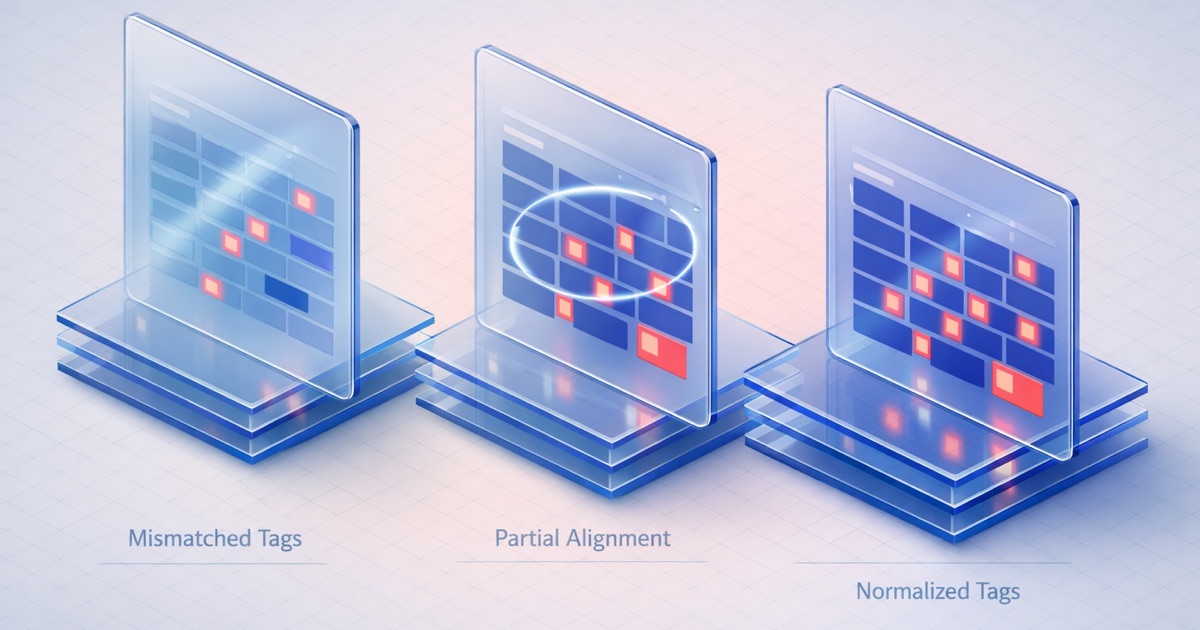
ये Scenarios क्या Cover करते हैं
यह page DQS PII detection के तीन real-world configurations के माध्यम से walk-through करती है। प्रत्येक scenario एक specific scanning need cover करता है, use करने के exact settings दिखाता है, और results कैसे read करें explain करता है।
ये walkthroughs main PII Detection article के concepts पर build करती हैं। यदि आप PII detection patterns, presets, या diagnostic flow में नए हैं तो पहले वह पढ़ें।
Scenario 1: Case Comments पर Pre-AI Audit
Business Context
आपकी company Service Cloud पर Agentforce roll out कर रही है। Case data को AI से connect करने से पहले, compliance team को PII exposure report चाहिए। आपको Case free-text fields (Description, Internal Comments) scan करने की जरूरत है यह जानने के लिए कि PII present है या नहीं और कितनी widespread है।
Configuration
Standard preset को PII Detection Analysis mode के साथ उपयोग करें। यह आपको दोनों metrics देता है: count और exposure rate।
| Setting | Value | क्यों |
|---|---|---|
| Preset | Standard (SSN, Credit Card, Email, US Phone) | High-FP patterns से noise के बिना चार सबसे common PII types cover करता है |
| Analysis Mode | PII Detection Analysis | Compliance report के लिए दोनों Records with PII (count) और PII Exposure Rate (percentage) चाहिए |
| Fields | Description (LongTextArea), Internal_Comments__c (LongTextArea) | Free-text fields जहाँ agents customer communications paste करते हैं |
Sample Results (Description field के लिए)
| Metric | Value |
|---|---|
| Records with PII | 1,247 |
| PII Exposure Rate | 15.6% |
कुल Case records scanned: 8,000।
Results पढ़ना
PII Exposure Rate से शुरू करें: 15.6%। लगभग 6 में से 1 Case description में PII है। यह AI processing के लिए किसी भी reasonable threshold से ऊपर है।
Records with PII cleanup scope देता है: 1,247 cases को review की जरूरत है। यह number compliance team को बताता है कि remediation effort कितना large है।
Standard preset SSN, Credit Card, Email, और US Phone के लिए scan करता है। Description field पर high matches likely email addresses (agents customer emails paste करते हैं) और phone numbers (callback details) से आती हैं। SSN और credit card matches compliance-critical findings हैं।
PII type से exposure break down करने के लिए, individual patterns enabled के साथ separate scans चलाएँ। पहले, only SSN + Credit Card (Critical preset) के साथ scan करें high-severity findings isolate करने के लिए। फिर यह देखने के लिए full Standard scan के साथ compare करें कि exposure में से कितना contact information है बनाम financial PII।
अगला Action
Compliance team को दो numbers present करें: 1,247 records affected, 15.6% exposure rate। यदि SSN/credit card subset non-zero है, तो AI deployment से पहले उन records को remediation की जरूरत है। Email और phone matches के लिए policy decision की जरूरत है: क्या वे PII types AI context में acceptable हैं, या उन्हें भी masking की जरूरत है?
Scenario 2: Leads पर Financial Compliance Quick Check
Business Context
आपकी data team 50,000 Lead records को एक new marketing automation platform पर migrate कर रही है। Vendor का DPA (Data Processing Agreement) SSNs या credit card numbers transfer करने को prohibit करता है। आपको एक fast yes/no answer चाहिए: Lead data में financial PII है?
Configuration
Critical preset को PII Scan mode के साथ उपयोग करें। दो patterns, fast scan, count-only output।
| Setting | Value | क्यों |
|---|---|---|
| Preset | Critical (SSN, Credit Card) | केवल दो patterns। Financial PII के लिए minimum scan। Near-zero false positive rate। |
| Analysis Mode | PII Scan | आपको count चाहिए, percentage नहीं। Go/no-go decision के लिए fast scan। |
| Fields | Description (LongTextArea), Notes__c (TextArea), Company (String) | Free-text fields जहाँ financial PII appear हो सकती है |
Sample Results (Description field के लिए)
| Metric | Value |
|---|---|
| Records with PII | 23 |
कुल Lead records scanned: 50,000।
Results पढ़ना
50,000 में से 23 records। SSN pattern (NNN-NN-NNNN) और credit card pattern (13-16 digit sequences) ने 23 Lead descriptions में matches find किए।
यह एक small number है, लेकिन DPA से governed migration के लिए, एक record भी matter करता है। Export से पहले इन 23 records को manual review की जरूरत है।
कुछ matches likely false positives हैं, especially credit card pattern से। Lead descriptions में long numeric sequences (tracking numbers, invoice IDs) 13-16 digit regex trigger कर सकती हैं। Confirmed PII को false matches से separate करने के लिए 23 records review करें।
यदि Notes__c और Company fields भी matches दिखाते हैं, तो उन्हें review list में add करें। Company field (String type) short text है, इसलिए credit card pattern से false positives कम likely हैं लेकिन फिर भी possible हैं।
अगला Action
23 records manual review के लिए pull करें। Confirm करें कि कौन से actual SSNs या credit card numbers हैं बनाम false positives। Confirmed PII को remediate करें: delete, mask, या export से exclude करें। Remediation के बाद verify करने के लिए zero matches scan फिर चलाएँ। Vendor के DPA compliance file के लिए clean scan result document करें।
Scenario 3: Support Org के लिए Per-Field Override Strategy
Business Context
आपके support org में Case और Contact objects पर 6 text fields हैं। प्रत्येक field अलग PII risk characteristics रखता है। एक single global pattern set कुछ fields पर बहुत अधिक false positives produce करता है और दूसरों पर risk miss करता है। आपको field-specific pattern configurations चाहिए।
Configuration
Global baseline से शुरू करें, फिर per field override करें।
Global configuration:
| Setting | Value | क्यों |
|---|---|---|
| Preset | Standard (SSN, Credit Card, Email, US Phone) | अधिकांश fields के लिए reasonable default |
| Analysis Mode | PII Detection Analysis | Quarterly governance report के लिए Exposure rates चाहिए |
Per-field overrides:
| Field | Object | Type | Override Patterns | Rationale |
|---|---|---|---|---|
| Contact | SSN, Credit Card only | Email field design से email addresses contain करता है। Email pattern के लिए scan करने से 100% matches produce होती हैं। केवल financial PII के लिए scan करें जो इस field में belong नहीं करती। | ||
| Description | Case | LongTextArea | Extended (सभी 8) | Free text जहाँ कुछ भी appear हो सकता है। Agents full customer communications paste करते हैं। Widest net उपयोग करें। |
| Subject | Case | String | Critical (SSN, Credit Card) | Short text field। DOB जैसे patterns के लिए high false-positive risk। केवल दो highest-severity types के लिए scan करें। |
| Internal_Comments__c | Case | LongTextArea | Standard (4 patterns) | Global default रखें। Internal comments में moderate PII risk है। |
| Phone | Contact | Phone | SSN, Credit Card only | Phone field design से phone numbers contain करता है। Email के समान logic: केवल PII types के लिए scan करें जो belong नहीं करतीं। |
| Notes__c | Contact | TextArea | Standard + IP Address | Notes field को default plus IP Address मिलती है। Support contacts कभी-कभी notes में server/network information include करते हैं। |
Sample Results
| Field | Records with PII | PII Exposure Rate |
|---|---|---|
| Email (Contact) | 3 | 0.04% |
| Description (Case) | 1,847 | 23.1% |
| Subject (Case) | 0 | n/a |
| Internal_Comments__c (Case) | 412 | 5.2% |
| Phone (Contact) | 0 | n/a |
| Notes__c (Contact) | 89 | 2.8% |
Results पढ़ना
Email field: 3 records, 0.04%. तीन Contact email fields में SSN या credit card pattern से matching कुछ है। यह unexpected है और investigate करने योग्य है। Likely एक data entry error जहाँ किसी ने email field में SSN put किया।
Description field: 1,847 records, 23.1%. लगभग एक चौथाई Case descriptions में PII है। Extended preset सब कुछ catch करता है। Free-text field पर high count expected है जहाँ agents customer communications paste करते हैं। यह field remediation के लिए आपका highest-priority target है।
Subject field: 0 records. Clean। Short text field पर Critical preset zero noise produce करती है।
Internal Comments: 412 records, 5.2%. Moderate exposure। Standard preset common patterns catch करती है DOB false positives के noise के बिना। 412 records manageable review scope है।
Phone field: 0 records. Clean। Phone field में कोई SSNs या credit cards नहीं।
Notes field: 89 records, 2.8%. Low exposure। IP Address pattern addition ने notes में कुछ matches catch किए। Review करें कि क्या ये support staff द्वारा paste किए गए server configurations से actual IP addresses हैं।
अगला Action
Description field पर पहले remediation focus करें (highest exposure)। Priority के लिए per-field results उपयोग करें: Description (23.1%) > Internal Comments (5.2%) > Notes (2.8%) > Email (0.04%)। Subject और Phone fields clean हैं।
यह scan quarterly चलाएँ। Per-field overrides in place रहते हैं, इसलिए प्रत्येक subsequent scan same targeted configuration उपयोग करता है।
अपना Configuration चुनना
| यदि आपको करना है… | यहाँ से शुरू करें | Key Settings |
|---|---|---|
| AI project से पहले PII audit चलाएँ | Standard preset, PII Detection Analysis | दोनों metrics compliance reports के लिए count + exposure rate देते हैं |
| Data migration से पहले financial PII check करें | Critical preset, PII Scan | दो patterns, fast scan, near-zero false positives |
| First-time audit के लिए detection coverage maximize करें | Extended preset, PII Detection Analysis | सभी 8 patterns। Higher false-positive rate लेकिन कुछ miss नहीं होता। |
| False positives reduce करने के लिए per field detection tune करें | Standard global + per-field overrides | Expected-content patterns remove करें (Email fields पर email, Phone fields पर phone) |
| Specific PII types के लिए targeted compliance check चलाएँ | Custom pattern set, PII Scan | केवल अपने compliance framework के लिए relevant specific patterns toggle करें |
सभी 8 detection patterns, तीन presets, और diagnostic flow कैसे काम करती है का full reference के लिए main PII Detection article पर return करें।
PII detection broader AI readiness picture में कैसे fit होती है यह देखने के लिए AI Readiness Assessment लें।