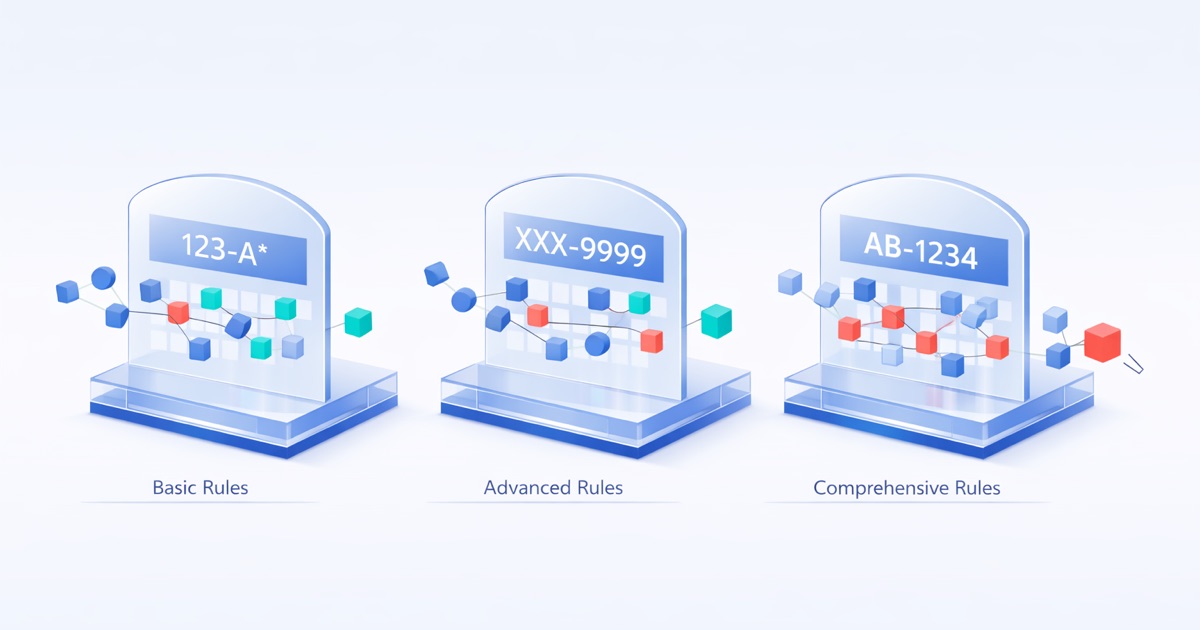
ये Scenarios क्या Cover करते हैं
यह page DQS validity analysis के तीन real-world configurations के माध्यम से walk-through करती है। प्रत्येक scenario एक specific business problem cover करता है, use करने के exact settings दिखाता है, और results कैसे read करें explain करता है।
ये walkthroughs main Validity article के concepts पर build करती हैं। यदि आप validity metrics, diagnostic flow, या pattern configuration में नए हैं तो पहले वह पढ़ें।
Scenario 1: Custom Text Field पर Secondary Email Validation
समस्या
आपका संगठन Contact object पर एक custom Secondary_Email__c text field में secondary email address store करता है। Standard Salesforce Email field के विपरीत, text field में कोई built-in format validation नहीं है। Marketing इन secondary addresses का उपयोग re-engagement campaign के लिए करना चाहती है, लेकिन किसी को नहीं पता कि structurally कितने valid हैं। आपको realistic campaign projections set करने के लिए एक concrete number चाहिए।
Standard Email field क्यों नहीं? Salesforce का native Email field type input पर format validate करता है। Standard Email field में values पहले से basic format checks pass करती हैं। DQS email validation custom Text fields पर useful है जो बिना Salesforce के built-in enforcement के email addresses store करते हैं।
Configuration
Contact object पर Secondary_Email__c field को target करते हुए Format Validation mode उपयोग करें।
| Setting | Value | क्यों |
|---|---|---|
| Analysis Mode | Format Validation | आपको match rate और valid count चाहिए, full invalid breakdown नहीं |
| Pattern Type | Built-in pattern: ^[a-zA-Z0-9._%+-]+@[a-zA-Z0-9.-]+\.[a-zA-Z]{2,}$ |
|
| Include Blanks | OFF | Blank emails completeness problem हैं, validity problem नहीं |
| Case Sensitive | OFF | Email addresses definition से case-insensitive हैं |
Email pattern एक built-in preset है। आपको कोई regex लिखने की जरूरत नहीं है।
Sample Results
| Metric | Value |
|---|---|
| Validity Rate | 71% |
| Valid Count | 35,500 |
कुल Contact records evaluated: 50,000।
Results पढ़ना
Headline से शुरू करें: 71% validity। इसका मतलब है 29% secondary email addresses format check fail करती हैं। 50,000 Contacts में से, केवल 35,500 में structurally valid address है।
29% invalid practice में कैसा दिखता है: ये values “@” symbol missing हैं (john.company.com), domain extension missing है (john@company), double dots हैं (john@company..com), या spaces contain करती हैं (john @company.com)। क्योंकि यह text field है, Salesforce ने entry पर सभी accept कीं।
Campaign math बदल जाता है। Marketing 50,000 secondary addresses के आधार पर re-engagement reach project कर रही है। Real addressable audience 35,500 है। Open rates, click rates, और conversion projections सभी को inflated total के बजाय valid base के विरुद्ध recalculate करना होगा।
आगे क्या करें
Campaign planning के लिए Valid Count (35,500) को real addressable audience के रूप में उपयोग करें। शेष 14,500 records के लिए cleanup project scope करें। भविष्य की entries पर email format enforce करने के लिए Secondary_Email__c पर Salesforce Validation Rule add करने पर consider करें।
Scenario 2: Fixed Length के साथ Product Code Validation
समस्या
आपकी कंपनी Opportunity Product object पर एक custom Product_Code__c field में 8-character product codes उपयोग करती है। ये codes inventory lookups, pricing rules, और ERP integration drive करते हैं। ERP sync हर हफ्ते लगभग 5% records पर fail हो रहा है। आपको confirm करना है कि कितने codes format check fail करते हैं।
Configuration
Opportunity Product object पर Product_Code__c field को target करते हुए Advanced Format Validation mode उपयोग करें।
| Setting | Value | क्यों |
|---|---|---|
| Analysis Mode | Advanced Format Validation | Cleanup scope के लिए Invalid Count चाहिए, साथ ही junk entries check करने के लिए Noise Rate |
| Pattern Type | Fixed Length | Product codes हमेशा exactly 8 characters होते हैं |
| Fixed Length | 8 | आपका standard code length |
| Include Blanks | ON | Blank product code ERP sync के लिए invalid है। इसे failure के रूप में count करें। |
| Case Sensitive | OFF | Product codes आपके system में case-dependent नहीं हैं |
Fixed Length pattern automatically regex ^.{8}$ generate करता है। 8 characters से कम या ज्यादा कोई भी value validation fail करती है।
Sample Results
Foundation Metrics:
| Metric | Value |
|---|---|
| Validity Rate | 94.2% |
| Valid Count | 9,420 |
Advanced Metrics:
| Metric | Value |
|---|---|
| Invalid Rate | 5.8% |
| Invalid Count | 580 |
| Noise Rate | 0.4% |
| Noisy Records Count | 40 |
कुल records evaluated: 10,000।
Results पढ़ना
5.8% invalid integration team के estimate को confirm करता है। 10,000 में से 580 product codes 8-character format से match नहीं करते। ये वे records हैं जो ERP sync break कर रहे हैं।
Invalid Count (580) cleanup scope है। आपकी integration team के पास अब एक concrete number है। प्रत्येक sync failure को individually investigate करने के बजाय, वे 580 records pull कर सकते हैं, format errors categorize कर सकते हैं, और batch-fix कर सकते हैं।
Noise Rate (0.4%) कम है लेकिन ध्यान देने योग्य है। 40 records में noise patterns हैं: repeated characters (“XXXXXXXX”), keyboard entries (“asdfghjk”)। ये format errors नहीं हैं। ये junk entries हैं जो exactly 8 characters long हैं। Validity Rate ने उन्हें valid count किया क्योंकि वे length check pass करती हैं, लेकिन वे garbage data हैं।
Include Blanks ON यहाँ matter करता है। Include Blanks enabled के साथ, कोई भी record जहाँ Product_Code__c empty है, invalid count होता है। यह accurate failure scope देता है।
आगे क्या करें
Integration team के लिए 580 invalid records export करें। Errors को type से categorize करें: truncated codes, extra characters, trailing spaces। Bulk data update job का उपयोग करके fix करें। 40 noisy records के लिए, source investigate करें। नई bad entries prevent करने के लिए 8-character length enforce करने वाला Salesforce Validation Rule add करें।
Scenario 3: Web-to-Lead Company Name Noise Detection
समस्या
आपका web-to-lead form Company field require करता है। Lead volume strong है: प्रति तिमाही 20,000 नए leads। लेकिन SDR team report करती है कि कई leads में garbage company names हैं, “asdf”, “test”, “xxx”, या “na na na” जैसी entries। एक basic completeness check 98% leads में Company value दिखाती है। आपको suspect है कि 98% junk entries से inflated है।
Configuration
Lead object पर Company field को target करते हुए Advanced Format Validation mode उपयोग करें। Noise Rate quantify करने के लिए आपको इसकी जरूरत है।
| Setting | Value | क्यों |
|---|---|---|
| Analysis Mode | Advanced Format Validation | Junk entries quantify करने के लिए Noise Rate और Noisy Records Count चाहिए |
| Pattern Type | Custom | कोई built-in pattern free-text company names के लिए fit नहीं होता |
| Custom Pattern | ^.*[a-zA-Z0-9].*$ |
कम से कम एक letter या digit वाली कोई भी value match करता है |
| Include Blanks | ON | Blank company names भी problem हैं |
| Case Sensitive | OFF | इस pattern के लिए relevant नहीं, लेकिन default के रूप में off छोड़ें |
इस scan की real value noise metrics में है, format validation में नहीं। Custom pattern intentionally loose है।
Sample Results
Foundation Metrics:
| Metric | Value |
|---|---|
| Validity Rate | 97.5% |
| Valid Count | 19,500 |
Advanced Metrics:
| Metric | Value |
|---|---|
| Invalid Rate | 2.5% |
| Invalid Count | 500 |
| Noise Rate | 12% |
| Noisy Records Count | 2,400 |
कुल Lead records evaluated: 20,000।
Results पढ़ना
97.5% validity expected है और point नहीं है। Almost हर value loose format check pass करती है क्योंकि pattern केवल एक alphanumeric character require करता है। 500 invalid records केवल special characters या whitespace वाली entries हैं।
Noise Rate (12%) real finding है। 2,400 leads में company names हैं जिनमें noise patterns हैं। ये repeated characters (“aaaa”, “xxxxx”), consecutive special characters (“!@#$%”), या control characters वाली entries हैं। वे format check pass करती हैं क्योंकि उनमें alphanumeric characters हैं, लेकिन values garbage हैं।
True data quality picture:
| Category | Records | इसका क्या मतलब है |
|---|---|---|
| Clean और valid | 17,100 | SDR outreach के लिए ready real company names |
| Invalid (pure junk) | 500 | कोई alphanumeric content नहीं। Delete या quarantine करें। |
| Noisy (hidden junk) | 2,400 | Populated दिखता है लेकिन garbage है। Manual review या auto-flag। |
Completeness बनाम validity gap. Completeness कहती है 98% leads में Company value है। Validity कहती है 97.5% format check pass करती है। Noise Rate कहती है उन passing values में से 12% garbage हैं। प्रत्येक dimension problem की एक अलग layer reveal करता है।
आगे क्या करें
2,900 combined invalid और noisy records के लिए cleanup queue build करें। 500 purely invalid records के लिए, auto-delete या quarantine करें। 2,400 noisy records के लिए, decide करें: यदि कोई अन्य useful data नहीं है तो auto-delete करें, या यदि phone या email data अभी भी usable है तो manual review के लिए flag करें।
Source fix करें। Junk आपके web form से आ रहा है। Client-side validation add करें: minimum character length, repeated-character patterns block करें, और bot prevention के लिए CAPTCHA consider करें।
अपना Configuration चुनना
| यदि आपको करना है… | यहाँ से शुरू करें | Key Settings |
|---|---|---|
| Custom text fields पर email format check करें | Format Validation | Pattern Type: Email, Include Blanks: OFF |
| Fixed-length codes (product codes, SKUs, postal codes) validate करें | Advanced Format Validation | Pattern Type: Fixed Length, अपना character count set करें, Include Blanks: ON |
| Website fields पर URL format validate करें | Format Validation | Pattern Type: URL, Include Blanks: OFF |
| Custom business format (regex) enforce करें | Advanced Format Validation | Pattern Type: Custom, अपना regex pattern enter करें |
| Free-text fields में junk और noise detect करें | Advanced Format Validation | Loose format pattern उपयोग करें, Noise Rate और Noisy Records Count पर focus करें |
| Integration के लिए data cleanup project scope करें | Advanced Format Validation | Include Blanks: ON, project sizing के लिए Invalid Count और Noisy Records Count उपयोग करें |
सभी 6 validity metrics, pattern types, और noise detection details का full reference के लिए main Validity article पर return करें।
अपनी खुद की data quality measure करने के लिए तैयार हैं? अपने validity scores और अधिक देखने के लिए AI Readiness Assessment लें।